AppLock Fingerprint1.0.1
Continue to app
Free Version
Publisher Description
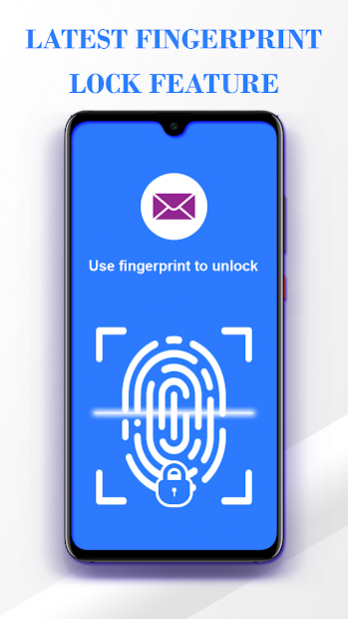
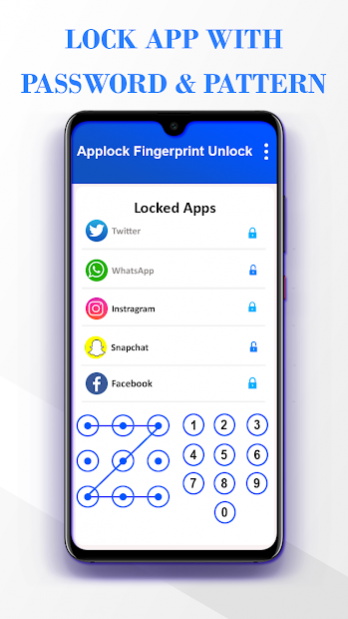
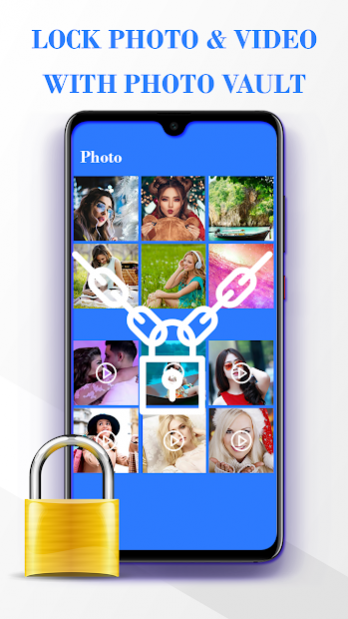
Fingerprint AppLock - Privacy AppLock
is the best & latest features
app lock
tool for Android, which will help you lock
apps, hide photos and videos.
Applock - Fingerprint Password app
can lock any apps Gallery, Messenger, SMS, Contacts, Email, Settings, incoming calls and any app you choose. Prevent unauthorized access to locked apps.
Gallery Lock 2020: Hide Photos - Video Locker
also hides your image & videos.
Fingerprint AppLock - Lock Apps & Privacy Guard
is one of the best Android lock app with privacy guard, the best app locker with password & pattern lock screen, smart applock that provide high secure features in the one app.
This
App Locker Fingerprint - Gallery Locker - Lock
app is the
super applock
that will protects your privacy & give phone protection.
AppLock - Fingerprint - Photo Gallery Lock
is a smarter and safer android
app locker
which guards your
With
Fingerprint AppLock - Privacy AppLock
security protection, your privacy is well protected with
password lock screen & pattern lock screen
Fingerprint AppLock -Photo Lock App - Hide Pictures & Videos
can hide pictures and hide videos. Hidden pictures and videos are vanished from Gallery and only visible in the photo and video vault.With this
secret app locker
, Its also a so cool child lock to protect phone from your kids.
Fingerprint AppLock is a best app locker and photo locker.
---Unique Features---
● Smart App Lock
Lock your social apps privacy: prevents others checking your message, email and contacts! & Lock photo & video, hiding your personal pictures
● Photo Vault
AppLock can transfer pictures and videos from Gallery to a photo/video vault with read/write external storage permission. You don’t have to worry about others seeing your private photos and videos with app lock.
●Intruder Selfie
With camera permission, App locker Secretly take a picture of those who try to unlock your apps with wrong passwords in three times. Find out who are the curious ones! Applock will send the photo of the intruder to your messages instantly for privacy security.
●App Locker With Password Fingerprint, Lock Gallery has Private Photo Vault
All your girl friend Private photos, hot photo folder, naughty photos, dirty photos, secret photo holder will hide in photo vault like photo wallet
●Lock app market
Keep your children from purchasing games by locking app market in your phone with the app locker. Security Lock is your AppLock.
●Lock apps
Security Lock - AppLock can lock apps. Prevent unauthorized access and guard privacy. Ensure security!
●Lock Phone Settings
Prevent others from changing your phone setting ( WiFi, 3G data, Bluetooth, Sync, USB and so on ) by locking settings. To be your smart AppLock!
●Unlock is more secure
Hide pattern draw path and be invisible. Give you overall privacy protection.
●Messenger and Chat Lock
App Lock Fingerprint and Passowrd 2020 work like Messenger and Chat Lock can bloquear whatsapp and chat lock, trava para whatsapp and lock whatsapp or whatsapp password
●Pattern Lock & Password Lock
Pattern lock & password lock have many kinds of themes. Pattern lock is faster to unlock. And in the mode of pattern lock, you can hide draw path. Much safer for you to lock apps.
Switch any unlock mode! Well designed theme is waiting for you!
●Notification Organizer
App lock hides unwanted notifications. Never miss any important
● Easy to Use
Just One Click to set locked apps and unlocked apps.
● Lightweight but Powerful
Security Lock - AppLock uses smaller space, but it can protect all of your phone privacy.
If you love the app secure lock app, don't forget to rate 5*
About AppLock Fingerprint
AppLock Fingerprint is a free app for Android published in the System Maintenance list of apps, part of System Utilities.
The company that develops AppLock Fingerprint is Rup Web. The latest version released by its developer is 1.0.1.
To install AppLock Fingerprint on your Android device, just click the green Continue To App button above to start the installation process. The app is listed on our website since 2020-04-04 and was downloaded 80 times. We have already checked if the download link is safe, however for your own protection we recommend that you scan the downloaded app with your antivirus. Your antivirus may detect the AppLock Fingerprint as malware as malware if the download link to com.fingerprint.applockfinger is broken.
The company that develops AppLock Fingerprint is Rup Web. The latest version released by its developer is 1.0.1.
To install AppLock Fingerprint on your Android device, just click the green Continue To App button above to start the installation process. The app is listed on our website since 2020-04-04 and was downloaded 80 times. We have already checked if the download link is safe, however for your own protection we recommend that you scan the downloaded app with your antivirus. Your antivirus may detect the AppLock Fingerprint as malware as malware if the download link to com.fingerprint.applockfinger is broken.
How to install AppLock Fingerprint on your Android device:
- Click on the Continue To App button on our website. This will redirect you to Google Play.
- Once the AppLock Fingerprint is shown in the Google Play listing of your Android device, you can start its download and installation. Tap on the Install button located below the search bar and to the right of the app icon.
- A pop-up window with the permissions required by AppLock Fingerprint will be shown. Click on Accept to continue the process.
- AppLock Fingerprint will be downloaded onto your device, displaying a progress. Once the download completes, the installation will start and you'll get a notification after the installation is finished.
Program Details
System requirements
Operating systems
Android
Download information
File size
3.3 MB
Total downloads
80
Pricing
License model
Free
Price
Version History
Here you can find the changelog of AppLock Fingerprint since it was posted on our website on 2020-06-02. The latest version is 1.0.1 and it was updated on Soft112 on 07 October, 2026. See below the changes in each version:
